Markup vs margin calculator
Markup is on cost. Margin is on price.
Example
Biggest lever: Job cost. +10% raises the result to $1,430.00.
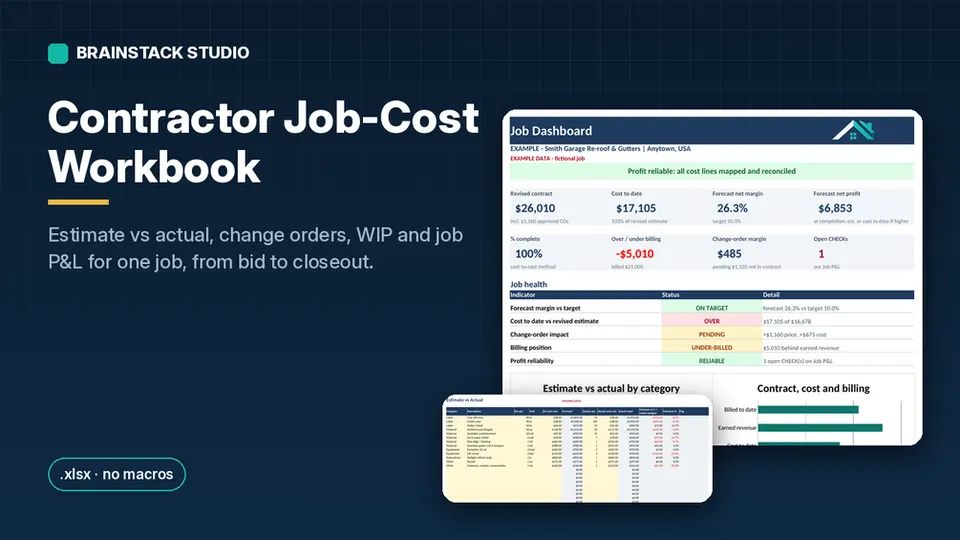
Take this further in the full workbook
Example: $1,300.00. Estimate versus actual on every job.
Excel workbook (.xlsx)
Details
How it works
- Price from markup = cost × (1 + markup)
- Price from margin = cost ÷ (1 − margin)
- Margin = markup ÷ (1 + markup)
- Markup = margin ÷ (1 − margin)
Example
With job cost $1,000, percent 30%: selling price $1,300.00; gross profit $300.00; markup 30.0%.
Questions
Is a 30% markup the same as a 30% margin?
No. Markup divides the difference between selling price and cost by cost; margin divides it by selling price. On a $1,000 cost, 30% markup produces a $1,300 price and about 23.08% margin. A 30% margin requires approximately $1,428.57.
What markup gives a 50% gross margin?
For a positive cost, a 100% markup produces a 50% gross margin. The selling price is twice the cost, so half the price remains after that cost. This does not imply that half the price is net profit after other business expenses.
Does the result include sales tax?
The calculator has no sales-tax input or jurisdiction rules. It applies only the cost and percentage you enter. Decide with your bookkeeping or tax adviser how taxes belong in your estimate and customer invoice, and do not represent this result as a tax calculation.
Can I use different markups for labor and materials?
You can calculate components separately, but review the combined job afterward. Adding component percentages does not give the overall margin. Add all included costs and all selling amounts, then divide the combined difference by combined selling revenue to find the overall gross margin.
What margin should my contracting business target?
There is no target supplied by this calculator. Start with your costs, overhead recovery, capacity, scope risk, and evidence about customer demand. Compare the resulting price with actual completed-job results. Any example percentage here demonstrates arithmetic rather than an industry benchmark or promised return.
Understand the calculation
Markup and margin answer different questions
Markup describes how much you add to cost. Gross margin describes how much of the selling price remains after the costs included in your calculation. The dollar difference can be identical while the percentages are different, because their denominators are different. That distinction matters whenever an estimate, price book, purchase order, or income statement uses the word profit without explaining its basis.
Use this calculator to translate between the two conventions before comparing quotes. Enter your estimated job cost, select whether your known percentage is markup or margin, and enter that percentage. The result is arithmetic based on your inputs, not a recommendation about what your customers will pay. A correct percentage cannot compensate for an incomplete cost estimate.
A worked example you can check by hand
Suppose a hypothetical job has $1,000 of included cost. A 30% markup adds $300, producing a $1,300 selling price. Divide that $300 difference by the $1,300 price and the gross margin is approximately 23.08%. Calling this a 30% margin would overstate the result. If you actually want a 30% margin on the same cost, divide $1,000 by 0.70. The price becomes approximately $1,428.57, leaving $428.57 before any expenses excluded from the cost input.
All amounts in this example are illustrative. They are not local rates, customer quotes, or promises of profitability. Rounding a displayed result to cents may create a small difference when you reverse the calculation. Keep enough precision in your estimating worksheet, then apply your customer-facing rounding policy consistently at the final pricing step.
Define the cost before choosing the percentage
Write down what the job-cost number contains. Possible components include purchased materials, field labor, employer labor costs, subcontractors, equipment assigned to the project, delivery, disposal, and job-specific permits. These are examples of categories to examine, not a universal accounting classification. Your business may classify some items differently. Use a consistent definition so that two estimates calculated at the same margin are genuinely comparable.
Do not silently move overhead in or out of the cost base between jobs. If your input contains only material cost, the displayed gross profit has not yet paid for the installer, truck, office, or any other excluded expense. If you already included an expense in cost, adding it again through another allowance can double count it. Document the boundary next to the estimate rather than expecting a future reviewer to reconstruct it.
Why a price discount has a larger profit effect
A discount changes revenue without necessarily changing the cost of doing the work. Starting with the illustrative $1,300 quote and $1,000 cost, a 10% discount reduces the selling price by $130. The remaining difference is $170, so gross profit dollars fall by about 43.33%, not 10%. The new gross margin is approximately 14.53%. A discount is therefore a different decision from choosing a modestly lower markup at the outset.
Before approving a concession, recalculate using the revised selling price and the actual remaining scope. If the customer removes work, estimate the costs genuinely avoided rather than assuming that every revenue reduction brings a proportional cost reduction. A smaller job can still require the same mobilization, ordering, scheduling, and administrative effort. This calculator does not determine whether a discount is commercially sensible; it makes the numerical tradeoff visible.
Separate gross margin from business profit
The calculator subtracts the entered job cost from the selling price. It does not know your annual overhead, financing costs, taxes, warranty obligations, or accounting treatment. Its gross-profit figure should not be described as take-home pay or a guaranteed net profit. To plan recovery of business-wide costs, use the overhead-and-profit calculator with an annual cost budget, or the break-even hourly-rate calculator when labor capacity is the useful planning unit.
Treat quoted margin, completed-job margin, and collected cash as separate observations. A signed estimate is not a completed job. An invoice is not necessarily collected cash. Compare the original estimate with actual labor and purchases after the job finishes, and separately reconcile what the customer paid. That review helps identify whether a pricing problem came from an incorrect percentage, missing scope, changed costs, or execution rather than the formula itself.
Check limits and keep a usable record
For a positive cost, a target margin of 100% has no finite selling-price solution under this formula. A margin above 100% is not a meaningful target for an ordinary positive-cost job. Negative costs, zero-cost scenarios, credits, and loss-making jobs need separate interpretation; do not turn an invalid or unusual result into a bid. The calculator is deliberately simple and does not infer contract terms or local tax rules.
Record the date, cost assumptions, chosen percentage convention, final price, and exclusions in your own estimating record. The calculator does not save your entries for you. When a supplier quote expires or the scope changes, update the underlying cost before recalculating. If you need a different convention for a contract or financial statement, confirm it with the person responsible for that document instead of relabeling the calculator output.
Reference examples
| Scenario | Calculation | Result |
|---|---|---|
| $1,000 cost; 20% markup | $1,000 × 1.20 | $1,200 price; 16.67% margin |
| $1,000 cost; 25% margin | $1,000 ÷ 0.75 | $1,333.33 price; 33.33% markup |
| $1,000 cost; 50% margin | $1,000 ÷ 0.50 | $2,000 price; 100% markup |
| $1,300 price; $1,000 cost | ($1,300 − $1,000) ÷ $1,300 | 23.08% margin |
Sources and method notes
Reviewed 2026-11-16. Worked examples are hypothetical and calculated from the formulas shown, not market benchmarks.
- SBA: managing business finances
Background on bookkeeping and financial management; calculator equations and examples are independently derived arithmetic.
Related calculators
Estimates only. Check them before you bid. Nothing you type is saved. Method & disclosures